What “works with Alexa / Google Home” really means for motorized shades
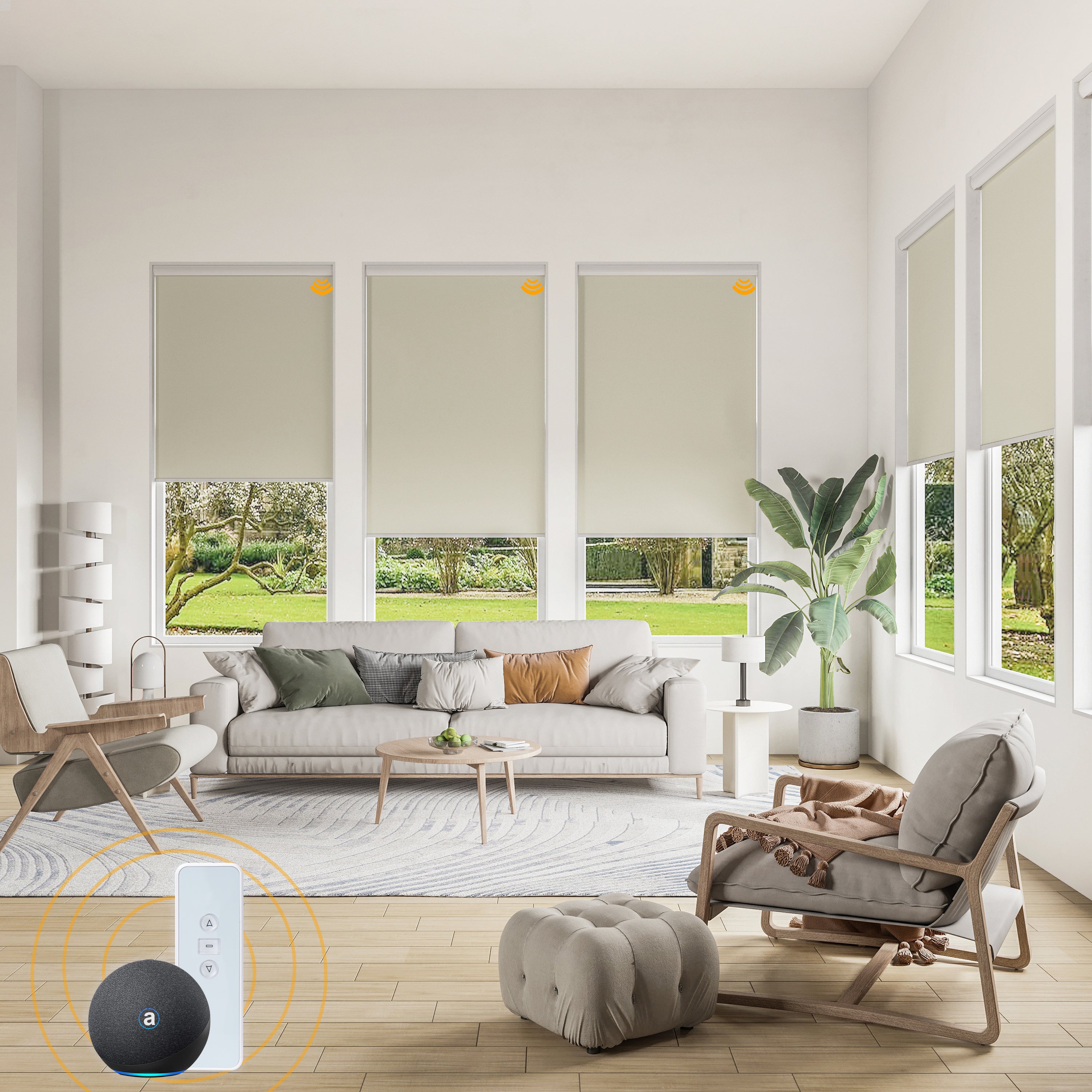
When you see a product described as “Alexa compatible” or “works with Google Home,” it can mean a few different things:
- Voice control through a native integration (best experience)
- Voice control through a hub/bridge (common and reliable)
- Voice control through routines or a connected smart platform
The goal is simple: you say “Alexa, close the living room shades,” and it works every time. World Wide Shades helps you build that kind of dependable setup, starting with your exact windows in the Shade Builder.
Quick answer: what to buy for a dependable smart shade setup
If you want the most dependable smart setup, choose:
- Motorized roller shades with a proven motor platform
- A bridge/hub (if required) placed within good range
- A plan for power (rechargeable battery vs hardwired)
- A clear naming scheme for rooms and groups
If you want help mapping this to your home, World Wide Shades can recommend the right configuration—reach out via Contact or call (844) 674-2716.
Why motorized roller shades are the best match for voice control
Roller shades are a natural fit for smart control because they’re simple and predictable:
- One clean movement up/down
- Consistent positioning for “50% open” routines
- Easy to group multiple shades in the same room
If you’re still deciding between shade styles, compare alternatives in Roller shades vs roman shades and then return to the World Wide Shades builder to price your preferred option.
Compatibility checklist: before you buy, confirm these 6 items
Some motorized shades ship with only a remote. That can be great, but it’s not the same as voice control.
Choose a system that supports app control (directly or through a bridge) if Alexa/Google Home control is a must.
Many reliable systems use a hub because it improves range and stability. When a hub is required, plan where it will live (often near your router).
If you want an overview of how a smart shade system fits together, see Smart home motorized shades setup.
- Rechargeable battery: easiest retrofit, great for most homes
- Hardwired: ideal for new construction or major remodels
If you’re building a new home or doing a renovation, review Custom shades for new construction so you can pre-plan power and mounting.
The magic of smart shades is routines:
- Open at sunrise
- Close at sunset
- Close during the hottest part of the afternoon
If energy savings are part of your goal, also read Energy efficient window shades.
Motorization removes cords, which is a major safety upgrade in family homes. For more guidance, see Child safe window treatments and Pet friendly window treatments.
Even the smartest shade won’t look right if it doesn’t fit.
If you’re unsure on mount style, start with Inside mount vs outside mount shades and then price both options in the World Wide Shades Shade Builder.
Alexa setup: how voice control usually works (in plain language)
Most Alexa setups follow a similar flow:
- Shade system is paired to a remote or app
- If needed, a hub connects the shade system to your network
- You enable a skill/integration in Alexa
- You discover devices and create groups (e.g., “Living Room”)
The easiest way to avoid frustration is to start with a well-planned shade list. World Wide Shades can help you organize your order by room so grouping is simple later—use Contact or call (844) 674-2716.
Google Home setup: what to expect
Google Home typically mirrors the same steps:
- Connect the shade system to its app/hub
- Add it as a device/service in Google Home
- Name shades clearly (“Kitchen East Window”) and group them
If you want a system that feels polished, plan your shade naming around how you talk: “close kitchen shades,” “open living room shades,” and “set office shades to 30%.”
Do you need a smart hub? Pros and cons
- You want stable range across a larger home
- You have many shades and want consistent responsiveness
- Your Wi‑Fi signal is inconsistent near certain windows
- Small apartment or condo
- Only one or two shades
- Your system supports direct Wi‑Fi control reliably
If you’re in a rental or a smaller space, you may also like Roller shades for rental apartment.
Best rooms for motorized shades (and why)
Motorized shades make glare control effortless. Pair with solar or light-filtering fabrics for daytime comfort.
Routines help you wake up naturally and improve privacy at night. For more bedroom considerations, see Best window shades for bedroom.
Hands-free control is helpful when windows are above sinks or counters. See Roller shades kitchen bathroom for moisture and cleaning tips.
Skylights and high windows are ideal candidates. If that’s your situation, read Skylight shades guide.
Choosing the right fabric for smart shades
Motorization doesn’t change fabric fundamentals, but it does make you use your shades more often—so it’s worth choosing a fabric you’ll love long-term.
- For glare: consider solar fabrics (3%–5% openness is a common target)
- For privacy: tighter weaves or room-darkening
- For UV protection: look for UV-blocking fabrics
For UV performance context, see UV protection window shades.
Planning for reliability: 7 tips that prevent most issues
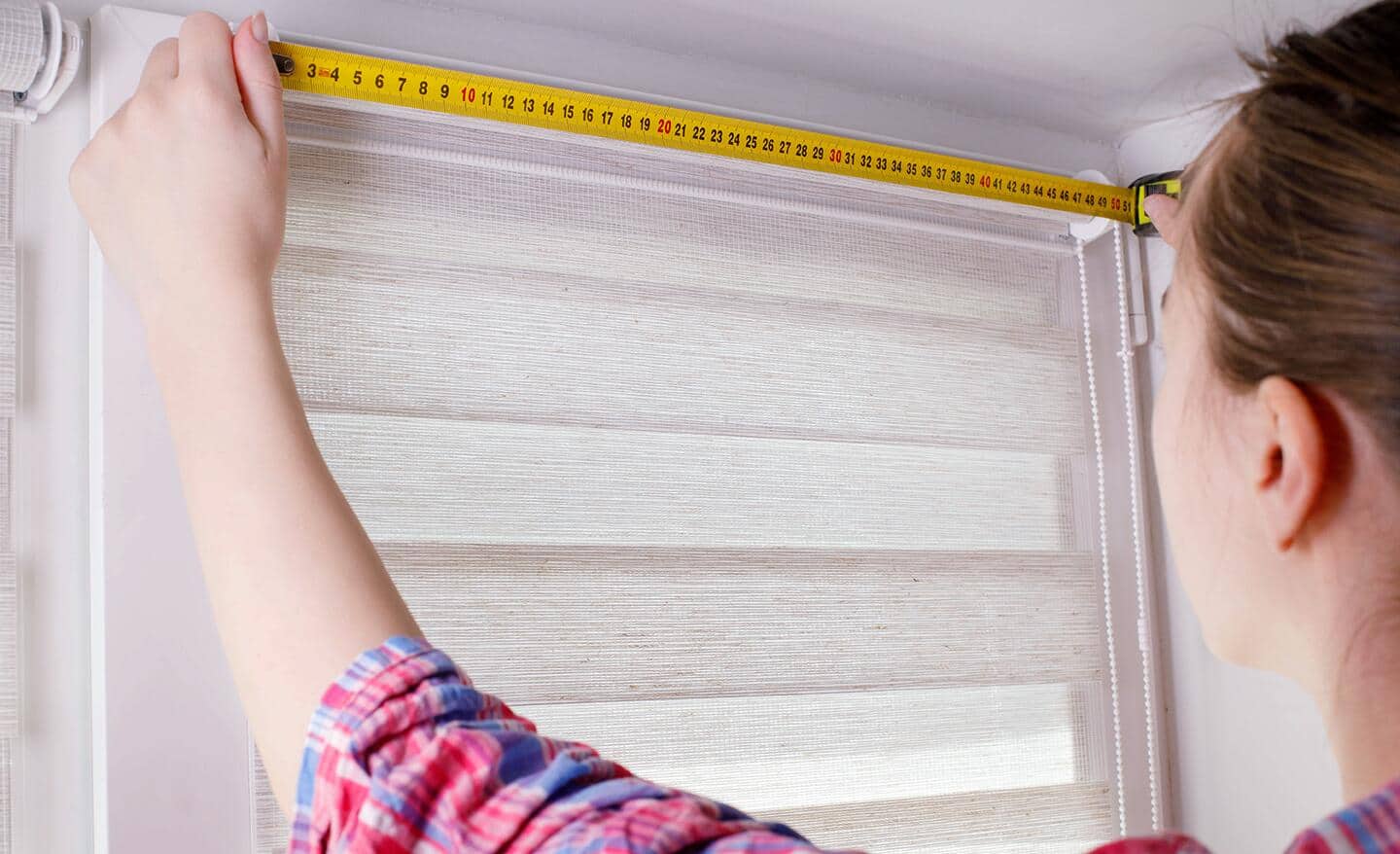
A smooth motorized experience starts with a shade that fits right. If you need a measuring refresher, see How to install roller shades and measure guidance in our room-based articles.
Mixing multiple motor apps makes automation harder.
Your routine should match how you live: “close the living room,” not “close window 1, window 2, window 3.”
If privacy is critical, consider outside mount for extra coverage. Reference Inside mount vs outside mount shades.
List what you want:
- Morning open
- Afternoon glare reduction
- Evening privacy
Seeing fabric in your space matters more with smart shades because you’ll interact with them every day. Get samples from World Wide Shades via Swatches.
World Wide Shades can recommend the right combination of fabric, mount, and motor features for your home—start at Contact or call (844) 674-2716.
Example voice commands you’ll actually use
Once your shades are connected, voice control is mostly about consistent naming. Here are common commands that work well when your shades are grouped by room.
Try phrases like:
- “Alexa, open the living room shades.”
- “Alexa, close the bedroom shades.”
- “Alexa, set the office shades to 50%.”
- “Alexa, open the kitchen shades.”
Tip: keep device names short and specific (for example, “Office East” and “Office West”). World Wide Shades can help you plan a naming approach room-by-room so setup is painless—start at Contact or call (844) 674-2716.
Google Assistant tends to respond well to natural room-based requests:
- “Hey Google, close the living room shades.”
- “Hey Google, open the shades in the bedroom.”
- “Hey Google, set the office shades to 30 percent.”
- “Hey Google, open the kitchen shades halfway.”
If you want the smoothest experience, keep one shade platform across the home and group by rooms.
Routines and scenes: where smart shades feel “magical”
Voice control is convenient, but routines are what make motorized shades feel like a real upgrade. Here are a few ideas homeowners love.
- Open bedroom shades to 10–30% to wake up gradually
- Open kitchen shades fully after your usual wake-up time
- Close living room shades fully to reduce glare
- Dim lights (if you have smart bulbs)
- Open and close shades at realistic times to make the home look occupied
- Close during the hottest part of the afternoon to reduce heat gain
If energy control is part of your plan, pair routines with the right fabric and exposure—see Best shades for south facing windows and Energy efficient window shades.
Battery vs hardwired motors for smart homes
Both options can work well with voice assistants, but they fit different situations.
Best for most retrofits because they:
- Install without opening walls
- Keep the look clean
- Are flexible if you move or reconfigure rooms
Best when you:
- Want a “set it and forget it” power plan
- Are doing new construction or renovation
- Have many shades and want consistent power availability
If you’re building or remodeling, plan power early—see Custom shades for new construction and then spec your rooms in the Shade Builder.
Troubleshooting: common setup issues (and quick fixes)
- Re-run device discovery in Alexa/Google Home
- Confirm the shades show up in the shade app first
- Check that your phone and hub are on the same network
- Move the bridge/hub closer to the shades
- Reduce Wi‑Fi congestion by placing hubs away from large electronics
- Check battery level if you’re using battery motors
- Confirm all shades are assigned to the same room/group
- Rename devices to avoid similar-sounding names
If you’d like help diagnosing your specific scenario, World Wide Shades can guide you through it—use Contact or call (844) 674-2716.
FAQ: motorized shades with Alexa and Google Home
Yes, if your motorized shade system supports Alexa either directly or through a hub/integration.
Yes. Grouping shades by room is one of the biggest benefits of a smart setup.
They can be, because they eliminate cords. See Child safe window treatments for safety guidance.
If you adjust shades often, have hard-to-reach windows, want routines, or prioritize a clean cordless look, motorized shades are usually worth it.
Yes. Most systems support schedules or routines (for example, open at sunrise and close at sunset). Pairing schedules with the right fabric can also improve comfort—see Energy efficient window shades.
Ready to build smart motorized shades for your home?
If you want motorized shades that feel seamless with Alexa or Google Home, World Wide Shades can help you plan a setup that’s reliable and looks custom.
- Price your windows with the Shade Builder
- Order samples through Swatches
- Get guidance on compatibility and setup via Contact or call (844) 674-2716